Account deletion is permanent.
Please make sure you want to remove your GatherON account before confirming deletion.
Please make sure you want to remove your GatherON account before confirming deletion.
Step-by-Step Guide
1
Open Your GatherON Account
Open the GatherON app and log in using your registered account.
Open the GatherON app and log in using your registered account.
2
Go to Your Profile
From the bottom navigation bar, tap Profile.
From the bottom navigation bar, tap Profile.
3
Select "Delete Account"
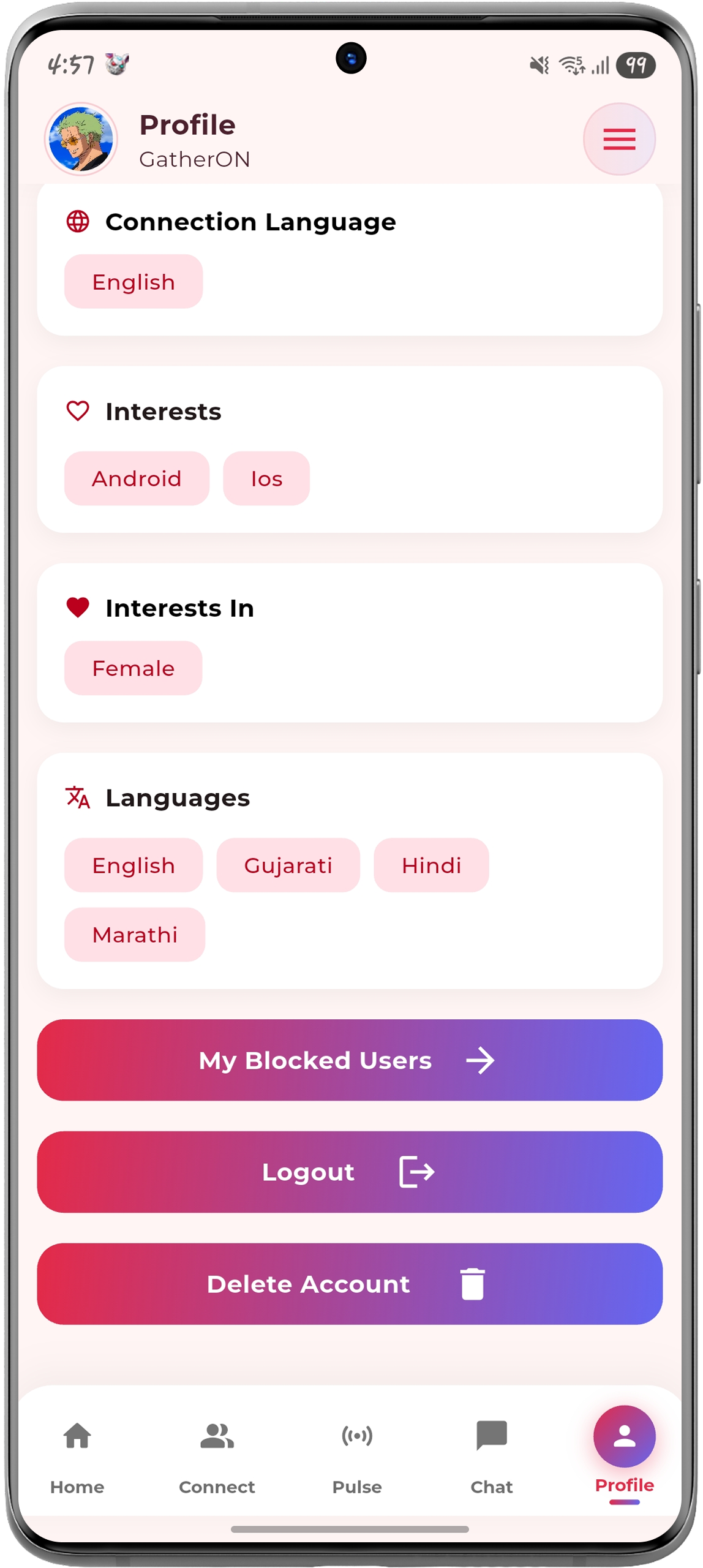
On the Profile screen, scroll down and tap the Delete Account button.
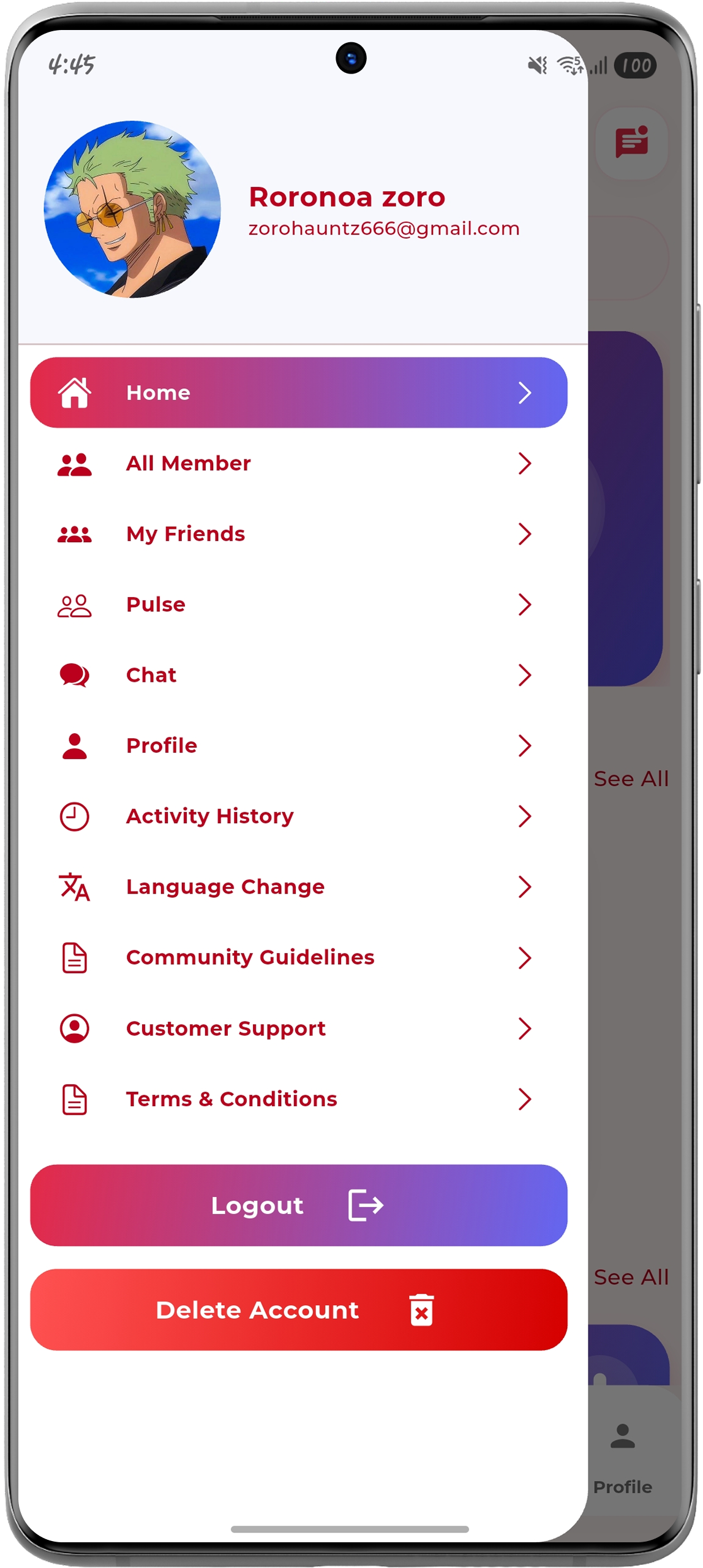
Alternatively: Open the side menu using the menu icon and select Delete Account.
On the Profile screen, scroll down and tap the Delete Account button.
Alternatively: Open the side menu using the menu icon and select Delete Account.
4
Confirm Account Deletion
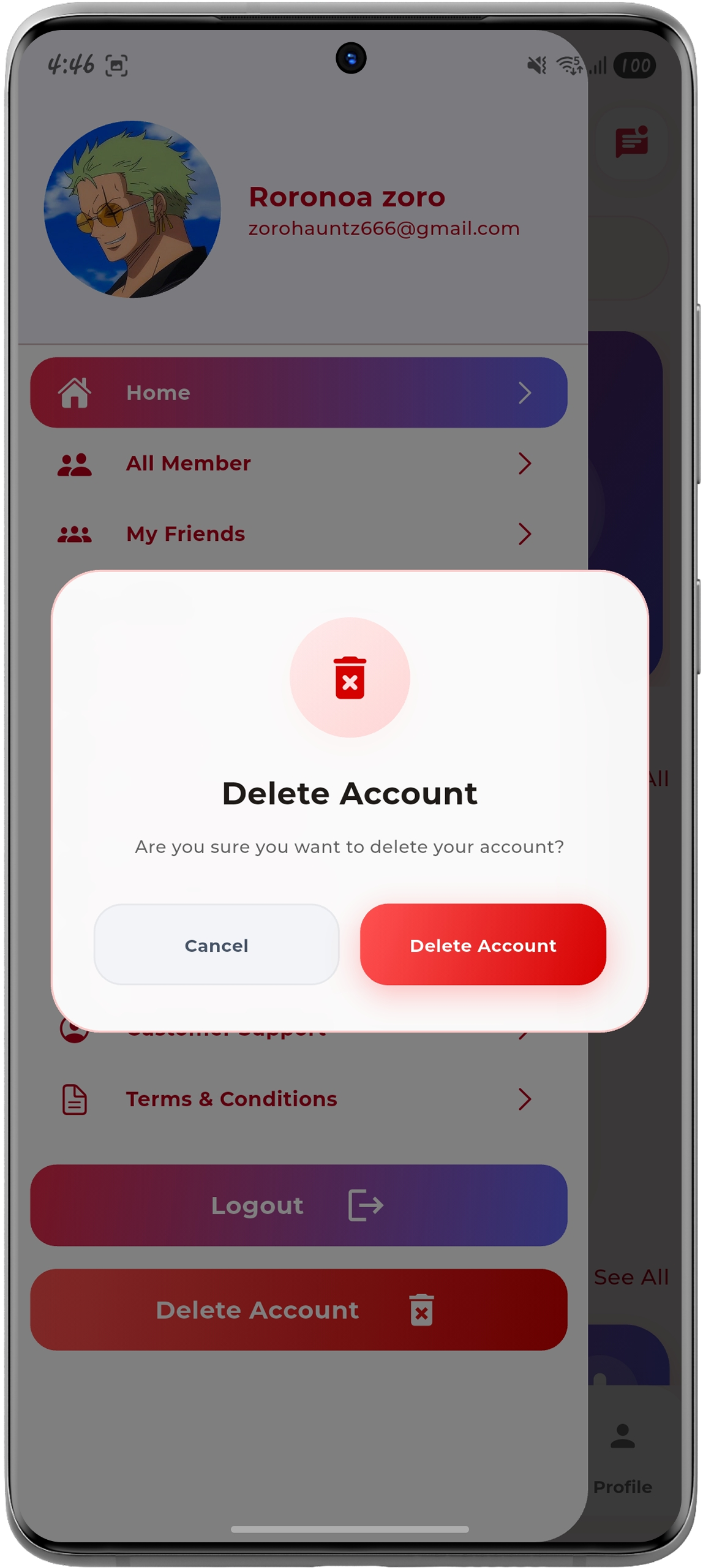
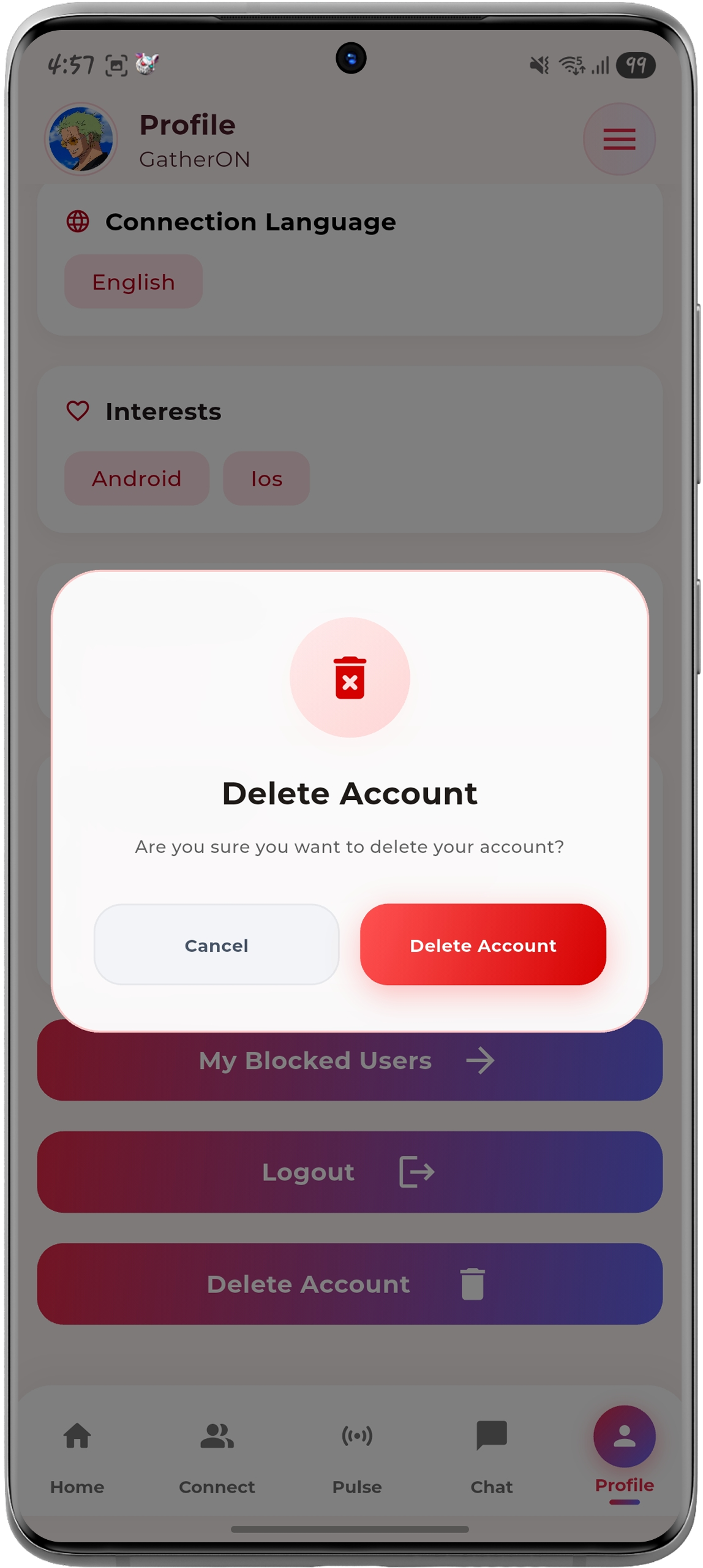
A confirmation dialog will appear asking, "Are you sure you want to delete your account?" Tap Delete Account to confirm.
A confirmation dialog will appear asking, "Are you sure you want to delete your account?" Tap Delete Account to confirm.
5
Account Deletion
Once confirmed, your GatherON account will be permanently deleted.
Once confirmed, your GatherON account will be permanently deleted.
App Screenshots
The screenshots below show the current Delete Account flow in GatherON.